Circles of Life: Final project presentation

Project title: “Circles of Life”

(click on thumbnails for a larger view)

00_dispenser_forblog

Before any cutting or gluing or tweaking, I had these plans to physically show for my project. The many circles cut into these pieces are one reason I named this project “Circles of Life.” Because the laser cutter in the shop can only cut up to 1/8th inch wood, some pieces had to be cut twice then sandwiched. Also, because the plywood was ever so slightly warped, some pieces had to be run over a second, and even in places a third time with the cutter. This resulted in more burning than normal near the edges, and is the reason why some pieces appear smeared with ash. Rather than try to hide this with the less burned sides facing out, I decided to make these burns part of my project.

OLYMPUS DIGITAL CAMERA

The two outer frame pieces were sandwiched so that minimal burning was shown, but the inner pieces, the wheel, hopper holder (hopper being the pot assembly that holds the bird seed), motor holder, and the frame that holds the wheel were sandwiched to show their more burned sides on the outside. The idea is that to represent growth in the circle of life, the outside may appear clean and orderly, where the inside is really dirty and chaotic. We watch a flower grow, and it generally follows a predictable pattern. Stem sprouts from the seed, flower reaches up to the sun, leaves and bud develop and bloom. I’m picturing one in my head right now. But inside the flower, in the processes that help this plant grow, those are the complicated ones. We can make artificial flowers that bear much resemblance to the real thing, when you don’t touch or look to closely, but we can’t grow flowers apart from their natural process. We can’t duplicate it. These burns are almost like fingerprints or the growth process—unique to these wood pieces and all but impossible to duplicate. And I definitely had time to think about all this while it was being cut. The laser cutter recuts at the same speed every time, regardless of how much was cut previously, or even if it’s cutting everything (not all parts needed the double do over). That means the normal 15ish minutes to cut one plywood board full of designs extended into the running time of your favorite TV show, sans commercials. Not all the cuts were like this, but enough.

OLYMPUS DIGITAL CAMERA

Next came the sandwiching of pieces, which required moisture on both gluing surfaces before the Gorilla Glue was applied, something about helping the curing process.

OLYMPUS DIGITAL CAMERA

When all pieces were glued and clamped, I let them sit for a few hours. Everything lined up very well, except for a few edges that required sanding and filing to even out due to the warped wood for cutting. But nothing a total of several minutes didn’t easily fix.

OLYMPUS DIGITAL CAMERA

The motor holder used the same process as the other pieces, sans clips. The main thing with the motor was to make sure none of the glue got on or seeped onto moving parts. No problems there, and I tested the rotation occasionally to ensure nothing moveable was being hardened.

OLYMPUS DIGITAL CAMERA

Here is an overall photo of my project before final gluing, just showing where everything would go. The biggest change between then and now that can be seen is the unfinished hopper.
OLYMPUS DIGITAL CAMERA

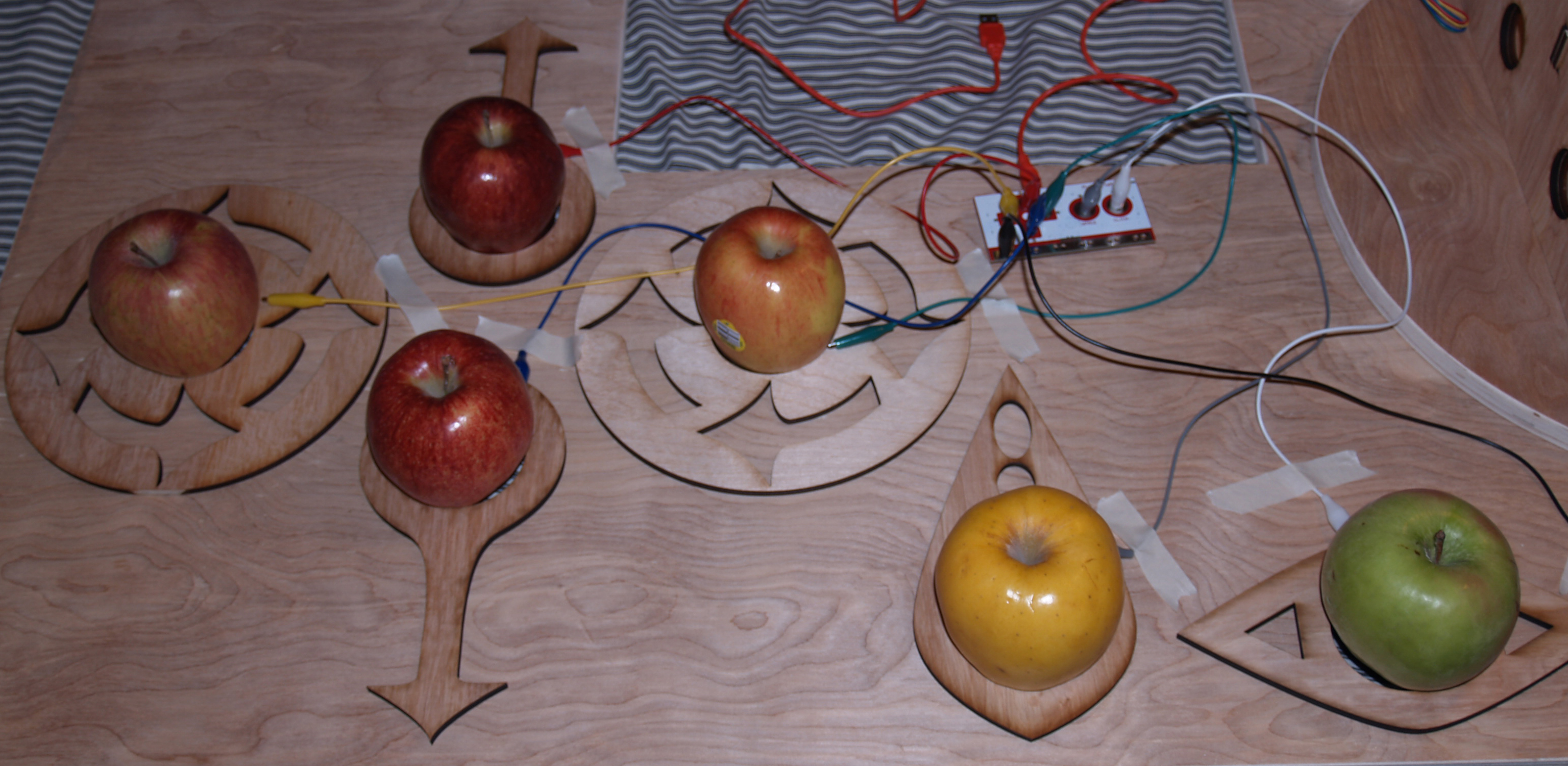
Here is a close up of the apple keyboard (my program runs on an apple computer…) with the Makey Makey circuit in the shot. The Makey Makey is a premade device that hooks up to a computer and fools the computer into thinking its inputs are regular keyboard keys.

OLYMPUS DIGITAL CAMERA

The Arduino wiring looks a bit messy, but it’s nothing too complicated. It’s basically the wiring from http://arduino.cc/en/Reference/StepperBipolarCircuit with a button added on the top for testing the motor earlier on.
OLYMPUS DIGITAL CAMERA

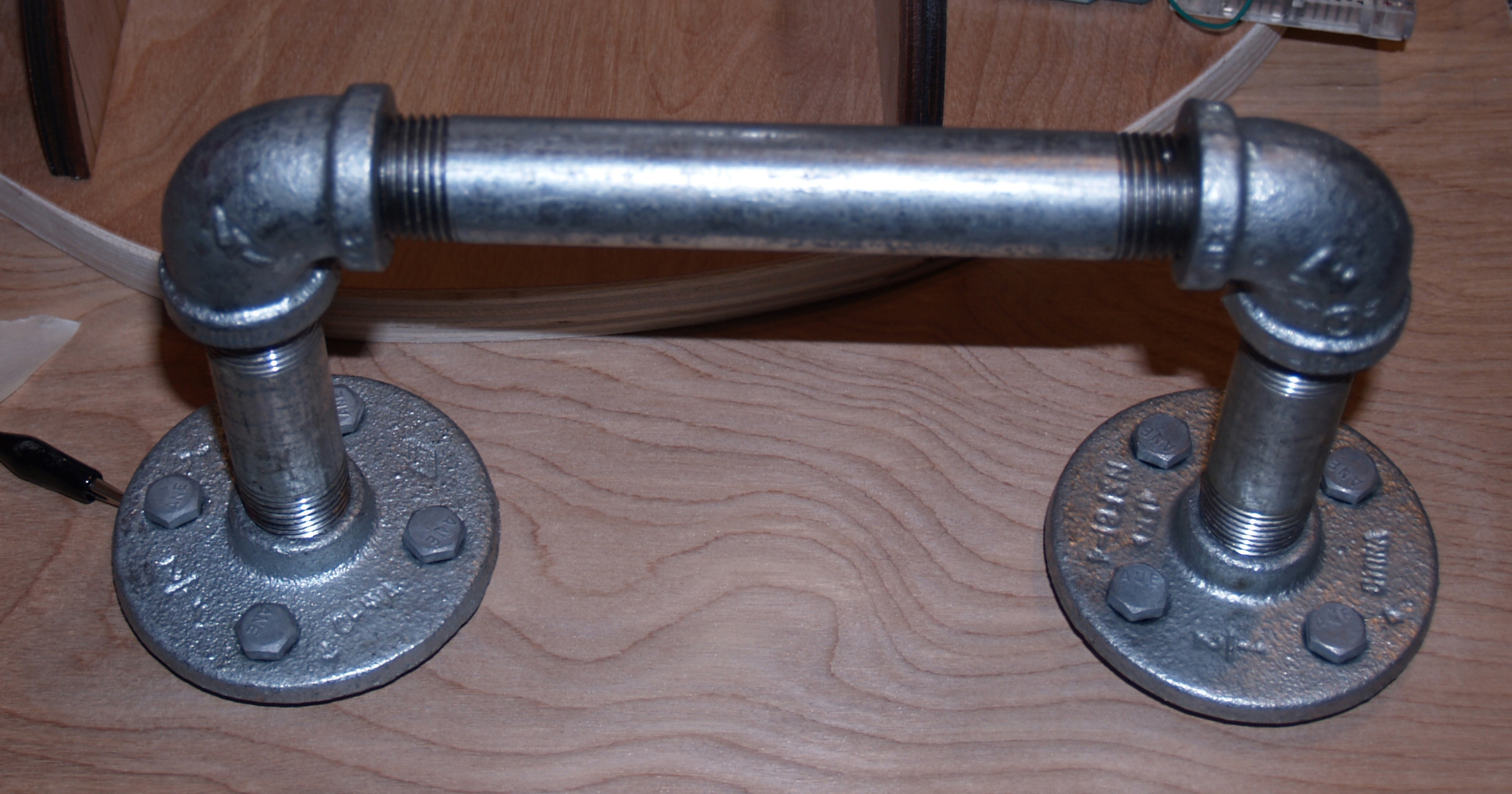
This is the ground for the Makey Makey, and the user must stay in contact with it while using the keyboard, to complete the circuit with the tiny bit of voltage the MM uses to determine key presses.
OLYMPUS DIGITAL CAMERA

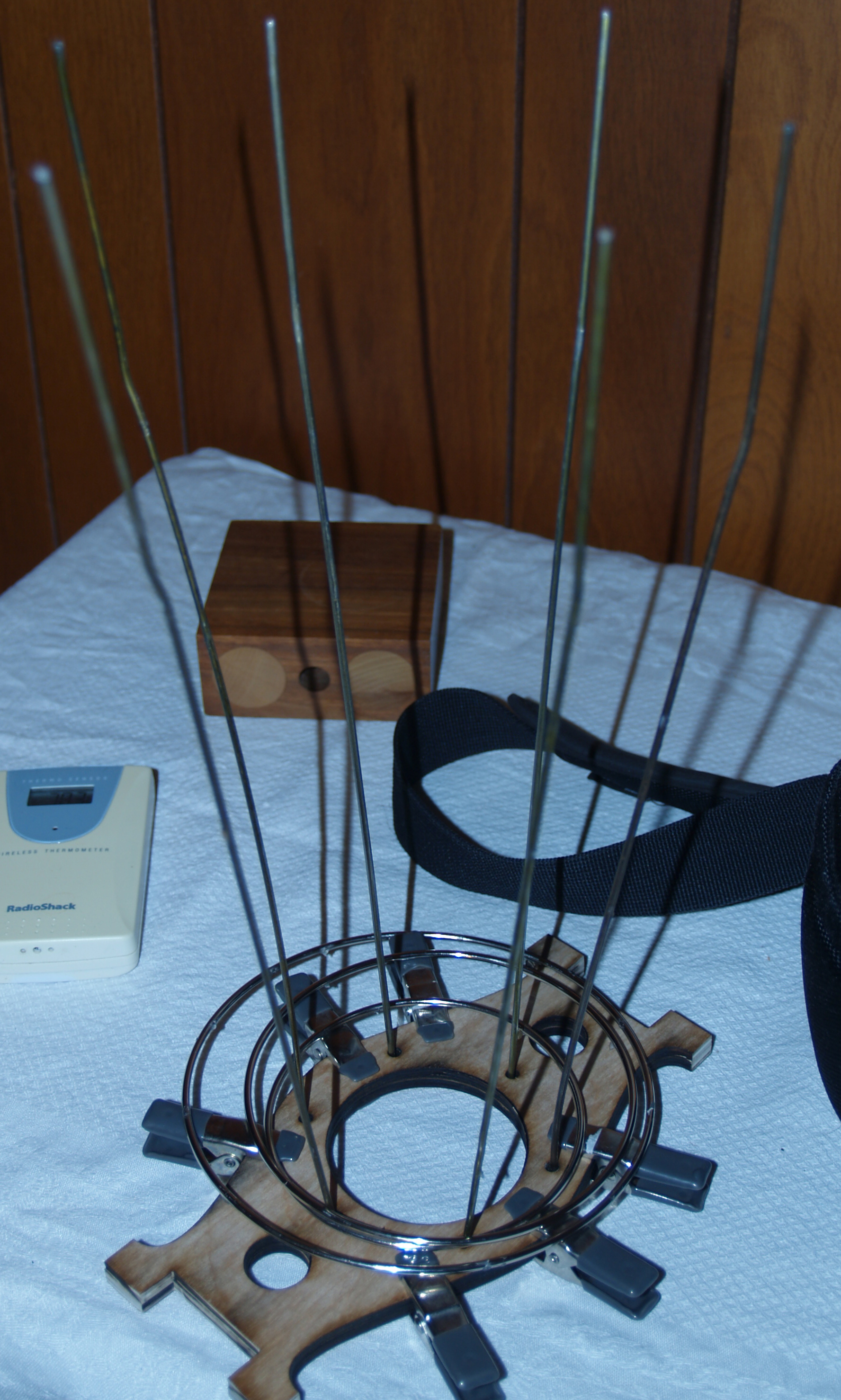
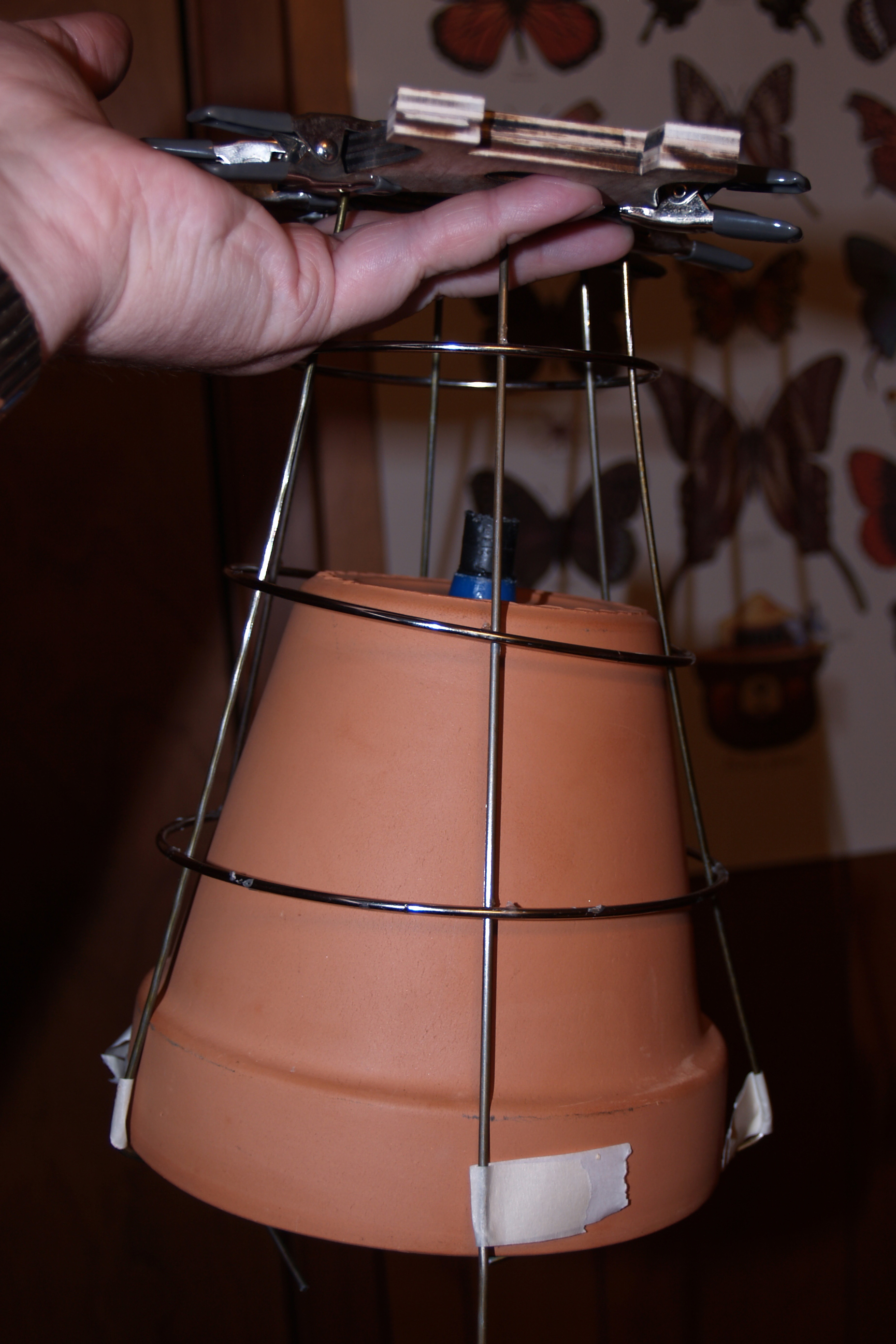
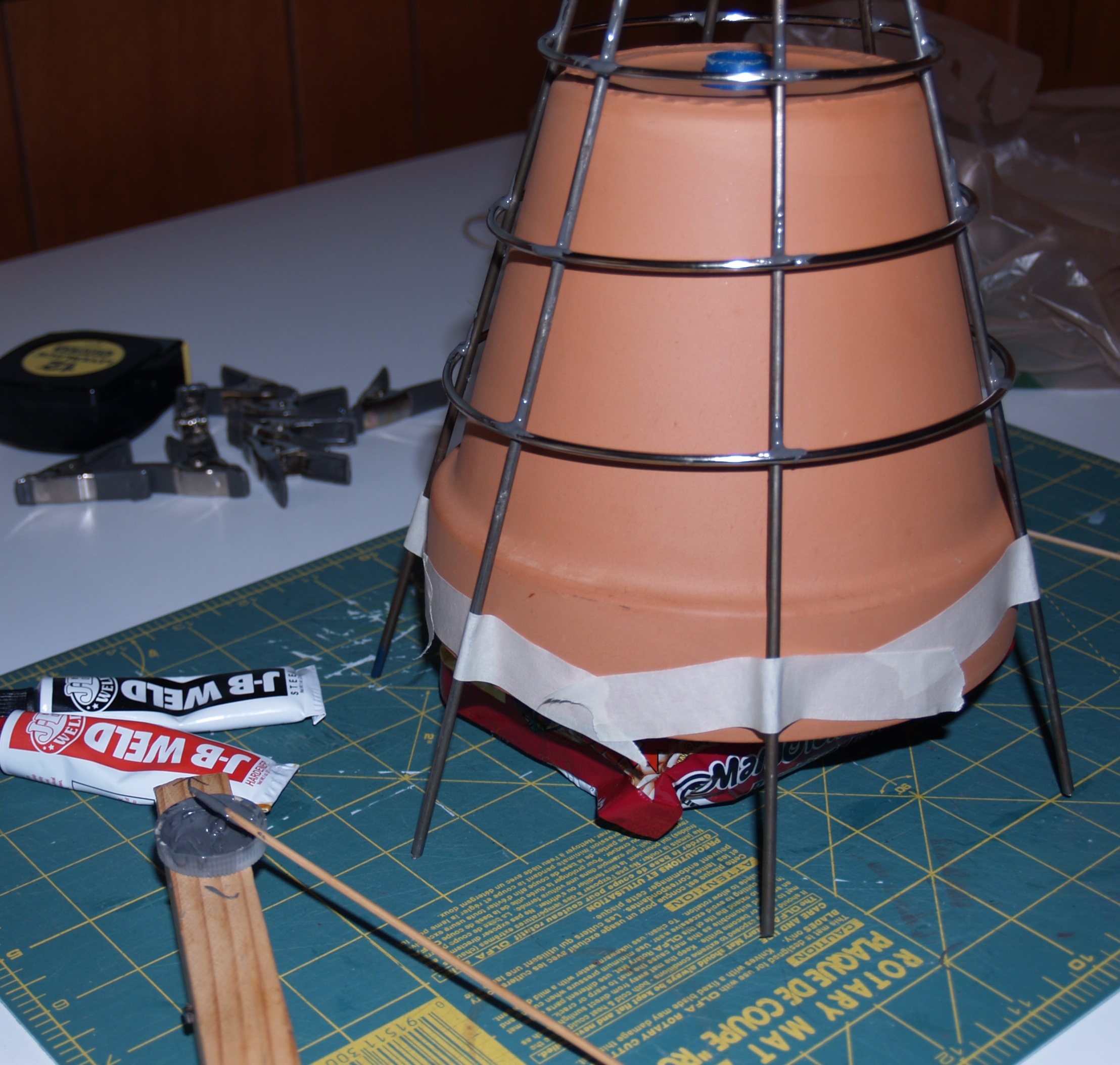
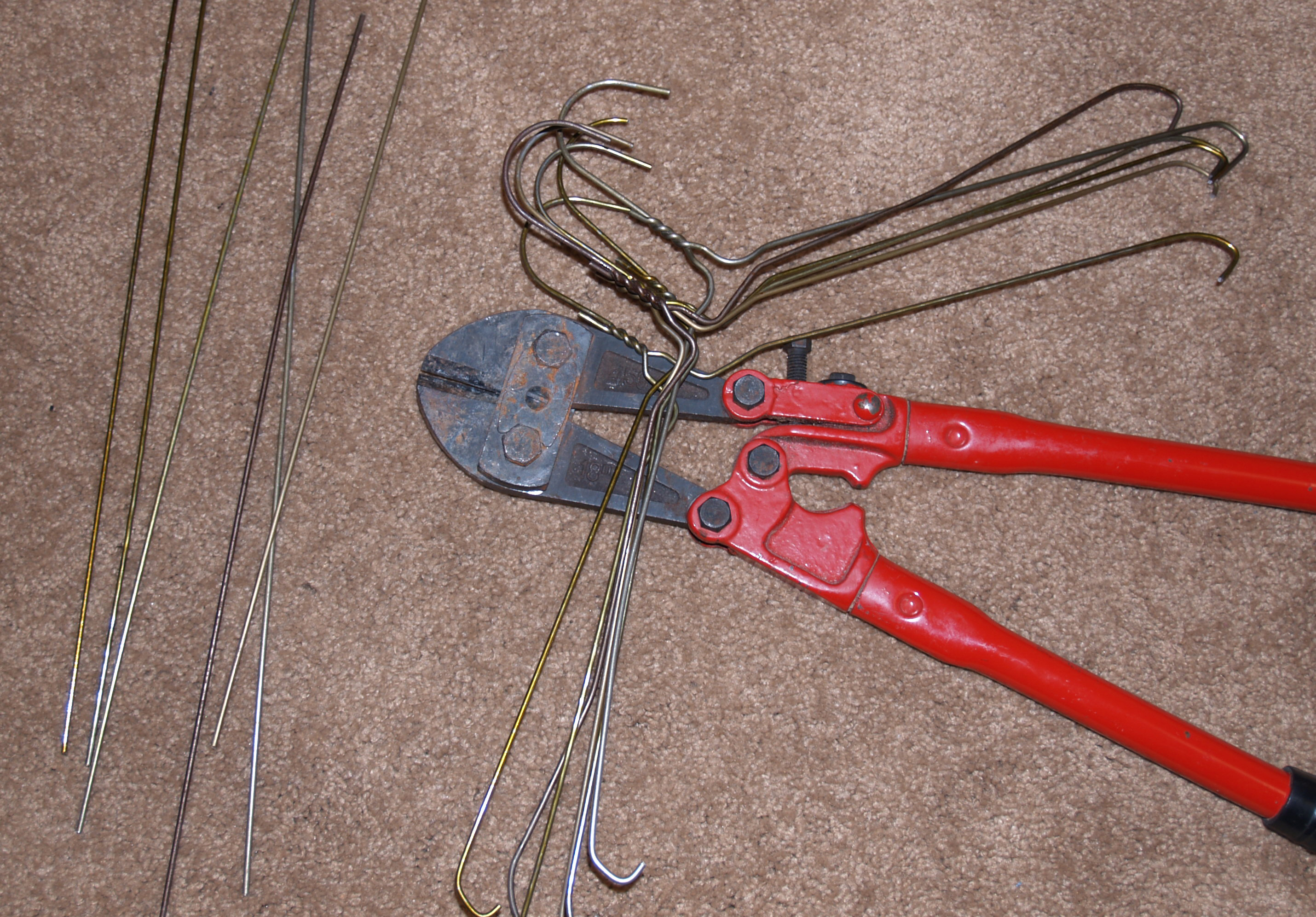
This is my first attempt at building the hopper holder with wire. I bought premade rings from Hobby Lobby, and the 16 gauge rods from Home Depot. They were strong and sturdy, but turned out to be more difficult to bend than I anticipated. I could bend them, but the force seemed unnecessary for this project. The pot is not that heavy. Plus, the rings kept falling off after the glue set and shifting around during gluing due to the wires not bending out to a perfect circle. Only some wires supported the rings, and that made them unstable and a pain to work with. That became a recurring scene several times, until I ditched the rings altogether. The hopper functions fine without them, they were also an aesthetic choice, like a spider’s web holding the pot. On the upside, a package of beef ramen and a small soup can were just the width and height I was looking for to hold the pot up during gluing. So soup is good for more than eating. Eventually, I snipped lengths off of coat hangers and found a happy medium: strength and flexibility. The rings still fell off twice though.
OLYMPUS DIGITAL CAMERAOLYMPUS DIGITAL CAMERA OLYMPUS DIGITAL CAMERA OLYMPUS DIGITAL CAMERA OLYMPUS DIGITAL CAMERA

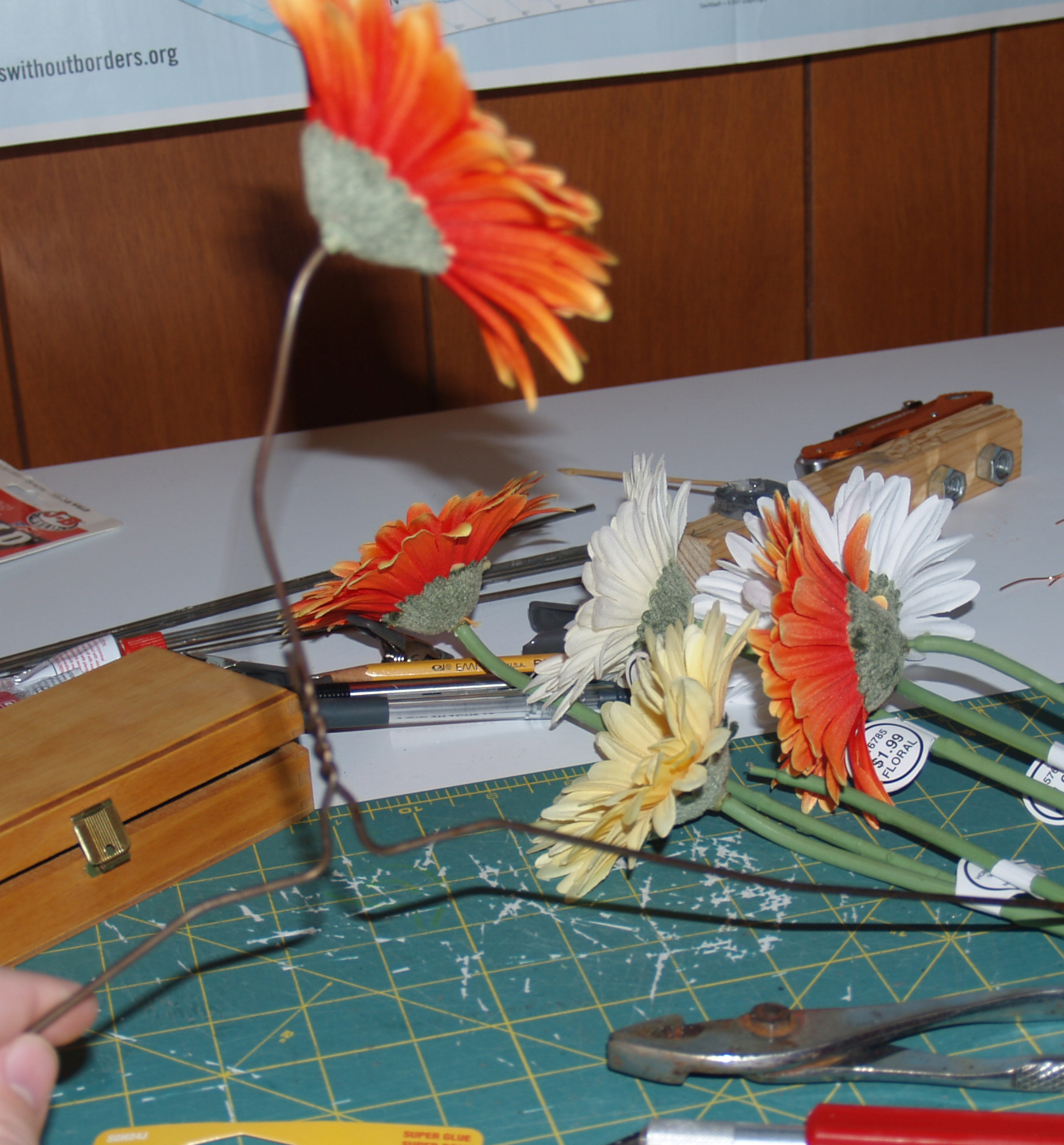
Still, the assembly would likely fall apart if the pot was left in continuously, so it’s not glued in. The pot is just set on top of the inlet hose into the coat hanger holders, and that holds it fine for my purposes. During the plan design, I had contemplated cutting wood pieces that were fit to hold the pot. They would have been curvy, come to a point, and hugged the outside shape. Those probably would have been sturdier, but I really wanted an ethereal look for the pot holder. Whether you look at the whole assembly and see the hopper as the top of a flower, the sun, or the roots, all three of those have an ethereal, thin quality. Wispy, almost. While something more than wispy is needed to hold the pot up, I tried to find a compromise. Because the game uses flower sprites to further the growth and circle of life from seeds, I decided since I couldn’t have the rings, I should push the flower aspect in my physical design, something I’d been puzzling over up until that point, how to tie the game more closely to the design. A few plucking of synthetic flowers from their synthetic stems later, with some super glue, and the hopper holder was finally complete.
OLYMPUS DIGITAL CAMERA

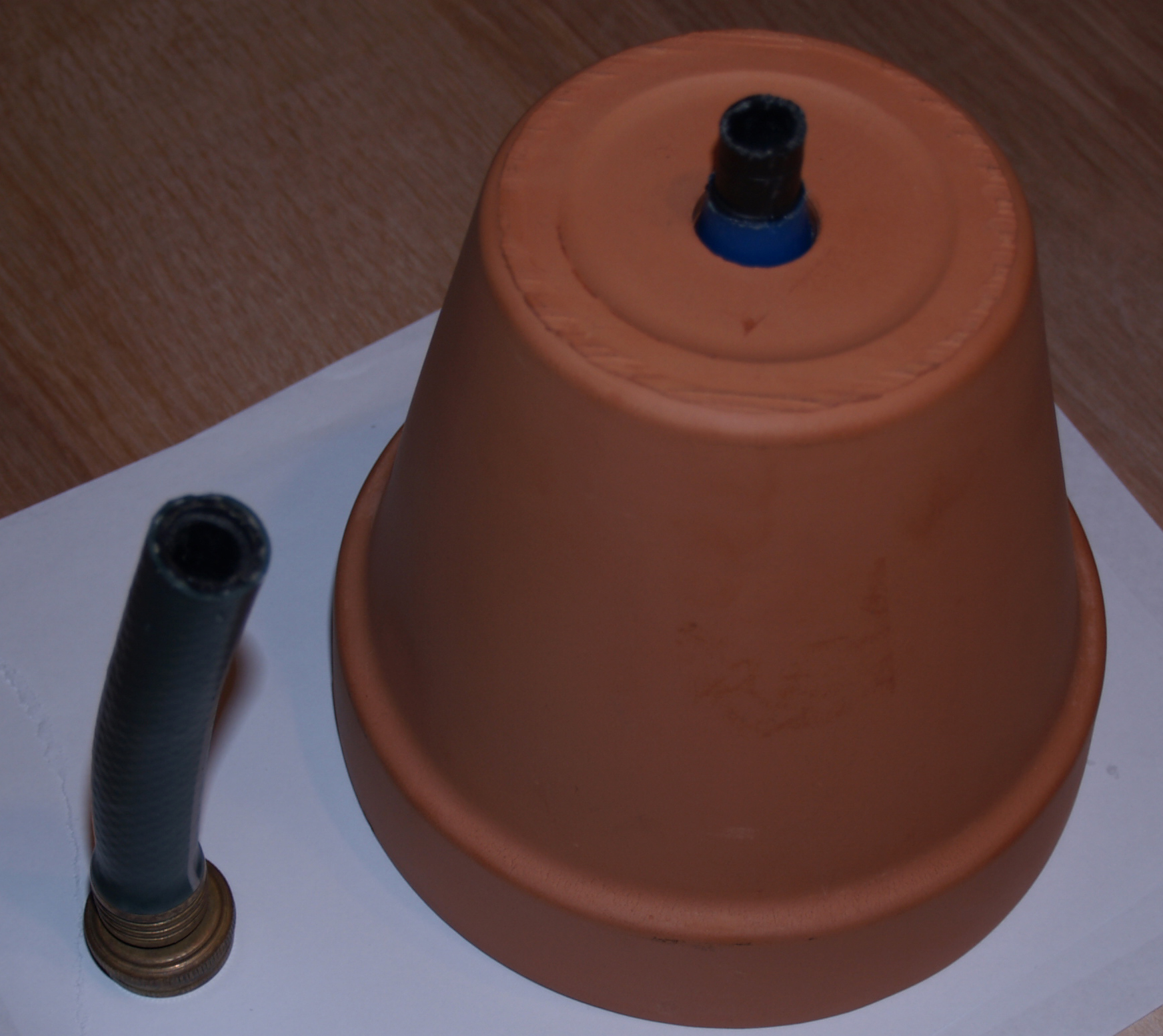
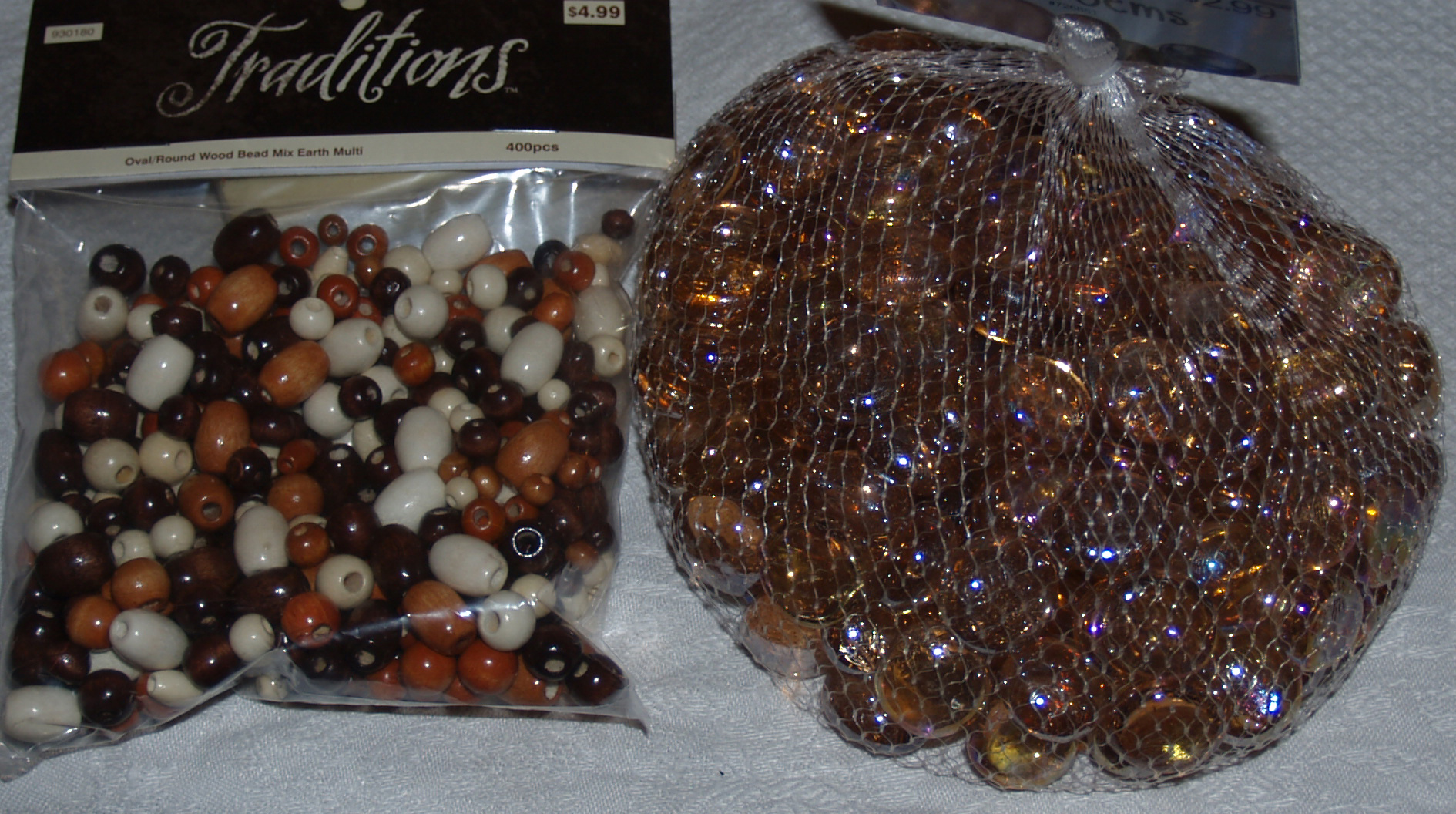
Part of this process of assembly was ongoing during setup and the running of Vizagogo, and since I was the exhibition chair for this year, which meant I could only work on those parts a bit in the morning and late at night when I got home. That whole hopper piece, with its multiple iterations, took several days for a relatively simple build. Simple, but frustrating with all the structural failures. But it finally works, and looks good I think. The dark smears on the pot are my aborted attempt to glue the same glass beads I used in the wheel to the pot. Hot glue would have been better than Gorilla glue due to it’s much shorter set time, but I was already hesitant about making the pot too gaudy, and I didn’t want to detract from the wheel.
OLYMPUS DIGITAL CAMERA

After nearly a full row kept sliding off the pot (Gorilla glue expands as it dries so that could have something to do with it), I stopped trying to glue the beads. It’s for the best, aesthetically. The pot, like many of the other components, is just a ceramic pot. It doesn’t need to be a shiny pot, that’s not its function. Such is my rationale. The pot serves its purpose, and its look shows that purpose, un-obscured by shiny blobs. Originally I was going to use the wooden beads on the left for this purpose, but I liked how the glass beads worked with the acrylic and drew more attention to the wheel.

The game was made in Game Maker, and I based my interface object between GM and Arduino on some very helpful GM forum posts I found during my research. This page was the most helpful. The GM object I downloaded needed some alteration to work with my project, but the scripts and library the object uses were invaluable. http://gmc.yoyogames.com/index.php?showtopic=530696

Simply giving back to the Circle of Life

Expanding on the most recent project progress presentation, I’ve figured out a simple yet effective way for this project to give something back to the player.

First off, the game mechanics have been simplified, from something resembling Conway’s Life game to multiple simple interactions similar to the popular mobile game Fruit Ninja. For those unfamiliar with it (I’ve never played, just watched), the object is basically to swipe your finger across fruit flying across the scene. This is what I proposed a week ago in my April 2nd post, but with the automatic seed dispenser added. I will put up a more detailed description and pictures of the game once development gets farther along (within a week).

I’ve made a controller object in Game Maker (GM) and an Arduino program so that when a specific game event happens, GM sends a signal to the Arduino, which now…

…turns on the Arduino’s built in LED. But the process is there. If GM can correctly send a signal that is correctly interpreted by the Arduino, then that signal can activate anything. It’s a simple matter to increment the stepper motor a certain number of degrees each time GM sends the signal. The device is beautiful in its utter simplicity, yet I can see this working as good or better than any of the other more complicated devices I thought up since the most recent update.

The picture is below, but the basic process is a rotating gear like wheel that pushes a certain amount of seeds down and into a chute, from which they pour into a receptacle. For thematic reasons (planting, growth) I picture a small clay pot catching the seeds, which the artist/player can pick out (might need to rais the bottom of the pot for easy gathering. Picture this device, no bigger than a normal sheet of printer paper, and you are viewing it through its clear acetate side. The top hopper, wheel middle section that the wheel rotates in, and the chute are made from pieces of sandwiched wood, cut on the edge in the design shown. Two pieces, one for each side, say between 1 and 1 1/2 inches thick when it’s finished. Seeds would need to be small enough to fit in the turning wheel sections and chute, and also to not clog up the mechanism as they drop into the wheel. In other words, any shearing forces exerted on the mass of seeds should push the seeds back into the hopper, rather than seizing up the wheel. In  other words, most fruit or vegetable seeds should work, but corn or pumpkin sized seeds could cause problems. Maybe not, but smaller seeds have a better chance, and since this dispenser is largely symbolic about giving back to the player a reward for growing more objects in the game, the purpose is served. Maybe give multiple seeds (bird seed type mixture)? It’s all art, and this can be decided later.

Click on the thumbnail for a larger version.

seed dispenser

Project progress

The Makey Makey has been ordered, so that’s on schedule. It should arrive next week as planned.

Thinking more on my game, I’m drawn toward Cellular Autonama, particularly Conway’s Game of Life. One change that will greatly effect the implementation is that the cells will be hexagonal rather than square. Hexagonal tiles are common nowadays for strategy based games (more on this later), and I believe that hexagonal tiles are more aesthetically pleasing than square or triangle tiles (the only other regular polygons that can be fit together with no space left between their seams).

For future reference, the rules of Conway’s Game of Life are listed below. (http://www.conwaylife.com/wiki/Conway’s_Game_of_Life)

  1. Any live cell with fewer than two live neighbours dies, as if by needs caused by underpopulation.
  2. Any live cell with more than three live neighbours dies, as if by overcrowding.
  3. Any live cell with two or three live neighbours lives, unchanged, to the next generation.
  4. Any dead cell with exactly three live neighbours cells will come to life.

Conway found that these rules produced the widest variety of desirable representations. Some can die quickly, others can grow quickly, others can die or grow slowly, and so forth. Because this game will have six surrounding cells, instead of eight, the rules might be tweaked, but since the numbers are close in range, I’ll begin with the above rules and experiment from there.

The strategy element could be end conditions, like once the pattern stabilizes have only a certain number of tiles left alive, or have the tiles left alive be a certain color. Which brings me to my secondary goal, implement more than two states for the cell.

At this point, I see two main ways to decide the 3+ states for the cell, shown by color. If a cell is alive:

1. Color is determined based on which of the six sides are filled in relation to the other sides. For example, following the rules for Conway’s Game of Life, two cells on opposite sides of the hexagon in consideration would produce a different color than two cells touching each other next to the hexagon (think three collinear hexagons versus three hexagons all adjacent to each other). Both sets described above are “alive”, or colored, but the arrangement determines the color. This is currently my favorite, as I see it as a balance between not an excessive number of states to consider and still being able to produce aesthetically pleasing results with color.

2. Pretty much the same as (1) but color is determined or at least partly influenced by the color of surrounding cells. This is more complicated than (1) and so will likely just be a thought experiment for this particular project. Many times simplicity is beautiful, and (1) strikes that balance where (2) performs less well. Not saying it wouldn’t be beautiful or couldn’t be done (neither are the case, I’m sure), but this option is outside the scope and time of this particular project. Plus, this means more rules to explain to the player. Conway’s game has only four to consider; I don’t want this implementation to have much more. Still, this option is mentioned as a possibility for expansion.

Update:

After chatting with my professor, seconds before I wrote this paragraph, he suggested I explore more of a cyclical approach (give something physical back to the player), instead of a one directional approach (i.e. push a button to affect the game). Like once the player wins, give the player some seeds and encourage them to plant them. Just a possibility to consider, we’ll see.

Final Project simplification and reorientation

Well, I was hammering out a specific schedule for my final project, and I came to the conclusion that I needed to greatly simplify my plan to allow for completion with a little extra time for tweaking and bug fixing. With getting the Arduino to communicate multiple data pieces to Game Maker, polishing the game (user interface, game objects), completing the game art, acquiring and building the controller, this project would not be completed by the time, and even if it was, it would not be polished enough to be proud of.

So I’m planning on doing something similar (building an unorthodox controller for a game I create) but simplified enough so that it can still present artistic, technical, and conceptual work, but not be so large that it can’t be completed and polished by the due date.

I actually came upon this option earlier while researching how to get Arduino to sync with Game Maker. I asked around on the internet, forums and the like, to see how anyone had solved similar problems, and one of the people I asked was very helpful and gave me two options for communication with Game Maker. One of those options I really started to get excited about the concept, and the site is here: http://www.makeymakey.com/

Makey Makey is a keyboard and mouse interface developed by two students from MIT that allows designers to, basically, use anything as a keyboard. It’s quite amazing, as the demo video, with real working examples, shows. In the end, pretty much anything can be used to transmit a signal: food, stairs, water buckets, even other people. Just hook up the object to the Makey circuit using an alligator clip or regular wire, and that object is a key. So how does this relate to my earlier project?

Well, this piece will have a performance aspect, in addition to the game and controller that anyone can play. Really thought, this game will not have a specific “win” condition, only a continual evolution of image, so it could be called a toy, that doubles as art. The toy will be simplified in purpose, and also execution, so that anyone can come along, and for even a few seconds, play with it, then leave if they want with no ill effects on the overall image. Objects can be moved on screen and interact with each other, but while no one is playing, it will sit there as generative art, in a sense. Each player contributes to the image on the screen. I also feel this “come and go” aspect will be more engaging for exhibition goers than a game with a definite beginning, end, winning/losing, and rules to learn. There will be rules to this piece as well, but only in the form of moving up/down/left/right, and choosing an object to move. When objects on screen touch, they will react in beautiful ways, producing more art objects to interact with, and so on. This simplicity should draw more people into the process of creating the image, and enjoying themselves while creating art.

So, what about the physical aspect of this, you ask? Well, in order to create the art, the artist/exhibition goer will first need to hook up the “keys” to the controller. I like the idea of using food for the keys, because since food is essential for life, now food will be essential for art, particularly this art. Players will choose what objects to use for each key based on their personal preference (a fruit/food bowl will be available to choose from). If, it turns out that the Makey kit works well with chains of food to conduct the signals, then I would like to incorporate that also, so players make their own connections. Imagine me, as the presenter, slicing an orange and overlapping the sections to allow a very tiny current that Makey requires, to be sent along the length. This particular overlapping sections idea is untested, but if it works, even for just a short length, it will be incorporated to add to the player’s involvement in creating the connections (itself artistic) in order to create the art.

No player made connections, no art is created or game like experience is enjoyed. So essentially, this is a very analog way of looking at DRM, as well as engaging the player. I have used “artist” and “player” to describe the same person interacting with my exhibit because both terms apply. Winning for the player will mean creating the connections to allow the “artist” side to help create the art. Until that artist decides they’ve done enough and leaves, and another artist can come along and generate even more art, evolving the images through their choices.

I am excited about this new direction, not just because I imagine it being visually engaging, both in a quick “come play with me” and a deeper “help me evolve this image”, but because of the practical side of this being very doable by the due date. Its simplicity will be both completable and engaging. After all this previous process with my earlier project idea, after all the research and testing, I agree with Prof. Galanter that my earlier idea presented very real issues with completion. This project can have an interesting design, as well as show attention to all three aspects: concept, aesthetics, and technology.